Monday March 28th Calling all Raven Nation Basketball Fans
|
|

|
|
|
|
|
|
Dear Parents,
This will be our first “ever” Tournament of Champions for Basketball. All Four (4) Varsity Boys and Girls County Champions will come together in a three-day event, so that one Team in each American Division on the varsity division will be crowned the overall Champion of CYO Basketball.
We really wanted to make this event something grand, something to strive for; but also, most importantly, an event where each of the Eight Teams and Families and fans would enjoy this experience.
Sunday March 27th
Boys – Hudson County Champion vs. Union County Champion Game # 2 @ 4:00 PM 499 Belgrove Dr, Kearny, NJ 07032
The games will also be live streamed via our St. Rose Basketball Live-stream also. We will begin the stream 10 minutes prior to game time .
Click here to view St. Rose Livestream Link
Principal Tina Underwood
|
Dear Parents,
Just a reminder that tomorrow, Thursday and Friday, are 12:10 dismissal days.
Thursday there will be NO Aftercare and you can not order lunch.
Please note anyone staying for aftercare on Wednesday and Friday must bring their own lunch and a drink or order from School Eatery.
https://schooleatery.ahotlunch.com/login
All Preschool programs end at 11:25 on early dismissal/half days.
Virtual Parent/Teacher Conferences info:
Wednesday, March 23rd 1:00 – 3:00pm
Thursday, March 24th 1:00 – 3:00pm 5:00-7:00pm
Friday, March 25th 1:00 – 3:00pm
Thank you,
Principal Tina Underwood
|
|
Dear Parents,
Virtual Parent/Teacher Conferences will be held on Wednesday, Thursday, and Friday March 23-25 from 1:00 – 3:00pm and Thursday March 24th 5:00-7:00pm.
Here is the link for the Signup Genius for Middle School Conferences:
https://www.signupgenius.com/go/9040944AEA92BA5F58-middle
Pre-School through Grade 4: Please contact your homeroom teacher to sign-up for your conference.
Please see below if you would like to email the teacher of a specific grade.
https://www.srlacademy.org/contact-us
Thank you,
Principal Tina Underwood
Dear Parents and Students :
Just a friendly reminder that Monday, March 21st auditions will be held in the gym from 2:45- 4:00.
We will meet immediately after at the car line. Students that have signed up to be a part of the Talent Show should come prepared with the items they need for the audition. (laptop with music, instrument, props, etc.).
We have a keyboard if you are playing the piano.
There is no need to come dressed in costume for auditions. We can't wait to see your performances!
Fondly,
Mrs. Muller and Ms. Lucius
St. Rose of Lima Track Team
Track Registration
2021 - 2022
We would like to invite your child/children to join the St. Rose of Lima Track team this Spring. We practice twice a week and we have 6 meets on the schedule for this season.
Practices will begin Tuesday April 5, 2022
We will host a Zoom informational meeting for Parents on Tuesday March 22 @ 7:00 PM.
The workouts consist of: group runs, stretching, strength exercises, wind sprints, and field event practice.
Practices:
Tuesday 5:30 p.m.-6:30 p.m. Meisel Avenue Park, Springfield NJ (3rd to 8th grade ONLY)
Thursday 5:30 p.m.-6:30 p.m. Meisel Avenue Park, Springfield NJ (K-8th grade)
PLEASE NOTE: Parents or caregivers of children in K-2nd grade who are participating must remain at practice and keep an eye on their children at all times.
What the kids need: ‘Real’ running shoes! To arrive on time at practice with a light jacket or sweatshirt, over a t-shirt. Water bottles are a must!
Program fee: $45 per student to cover meet fees and St, Rose Track Shirt. - You will be billed via SMART TUITION once your registration form has been submitted
T-Shirts: Each runner will receive a St Rose Dri-fit Track Shirt
Meet dates:
- 5/01/22 - Union Catholic
- 5/07/22 - OLS
- 5/14/22 - Oak Ridge
- 5/21/22 - St. John’s
- 5/22/22 - AOL @ St. Joseph
- 6/05/22 - St. Cassian’s
Meet Events
o 200m, 1600m, Shot Put
o 100m, 800m, Long Jump
o 400m, SMR Relay, Javelin
Athletes will be allowed to participate in a maximum of 3 events total (We will always let you know prior to the meet what the even limit is in the case it changes at different meets.
Please complete the following steps to register below (Click on each one)
You can scan and email them to
If you have any questions, please email
Harcourt Lucius
SRLA Athletics DirectorDear Parents,
All basketball players on our school teams this year may dress-down in spiritwear or their team uniform for Tuesday, Wednesday and Friday.
Thursday is dress- down green for St. Patrick's Day!
Thanks,
Principal Tina Underwood
Dear Parents,
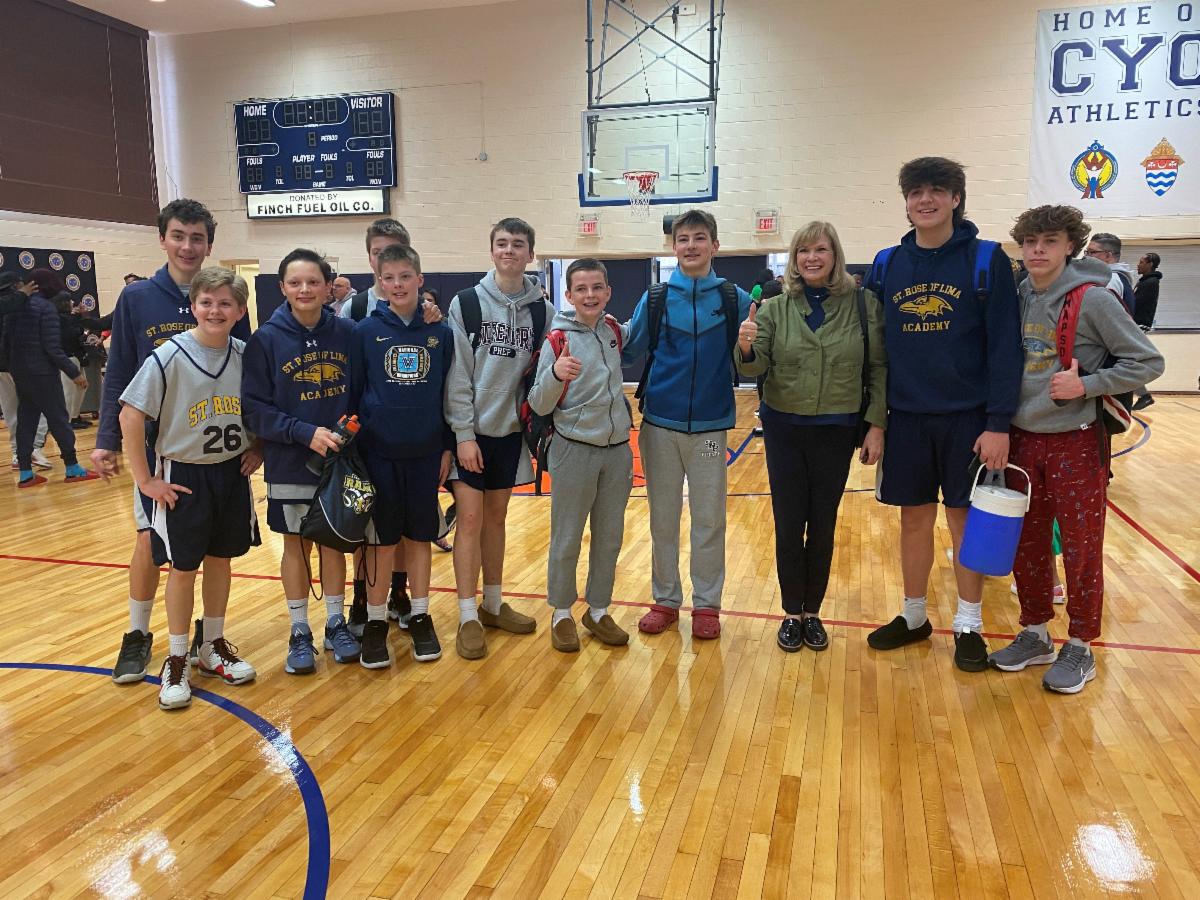
We would like to invite all families to come pack the Union Catholic gym tomorrow at 5pm for the 7/8 grade boys championship game. Raven Nation was on fire today and really made a difference to the players on the court!
Thanks,
Principal Tina Underwood
Parents,
Report Cards for trimester 2 are now available online.
To view the Report Cards, please follow the steps below.
Access the PowerSchool parent portal account:
https://psrcan.psisjs.com/public/home.html
Once logged in, there will be an option on the left side of the screen for “Report Card.”
Click on the option to see an online version, which can also be printed if you choose.
To see teacher comments, there will be an option for “Teacher Comments” also on the left side of the screen. Click on the option to see an online version.
Be sure that you have selected the proper reporting term (T2) on the top left of the screen. The comments can also be printed if you choose.
Please note that if you have more than one child in the school, the children’s names will appear at the top left of the screen when you log in. Select the child’s name to see the information for that child.
If you have any problems accessing your Parent Portal account, please feel free to email Mr. Miller at:Dear Parents,
I received this kind note this morning from another principal and I must tell you how proud I am of our Entire Sports Organization,players, coaches, parents and volunteers.
Principal Tina Underwood
Good Morning,
I am Stephanie Macaluso, Principal of Paramus Catholic High School who has a sixth-grade grandson at Holy Trinity in Westfield. Last night Holy Trinity and St. Rose of Lima played a basketball game. It was a great game. As I was leaving, I overheard one of the referees state to the other: " That game should have been recorded to show student athletes how to behave with good sportsmanship". They were very good. Your student athletes were very good, coaches were great also. We are doing something right!! God Bless Catholic schools!
Have a good day!
Dr. Stephanie Macaluso, Ed.D.
Principal
Paramus Catholic High School
|
|
Dear Parents and SRLA Community,
We would like to give you an update on the Into The Woods play that was planned at SRLA during the school year.
Due to circumstances, we will be moving the play to the 2022-2023 school year.
This school year, we will be having a Talent Show for fourth through eighth
grade in which students will be able to showcase their musical, dancing, and other performing talents.
An informational meeting will be held in the gym on March 7th for Grades/4, 5, and 6 from 2:45 until 3:30 and Thursday, March 10th for grades 7 and 8 from 2:45 until 3:30.
Sign Up sheets will be available outside Mrs. Muller’s room from March 7th through March 11th. Auditions will be held Monday, March 21st right after school.
Please be advised that groups should be limited to no more than five members.
More information will follow regarding audition times.
We are so excited to see our students shine !
Fondly,
Mrs. Muller and Ms. Lucius
Please reply to: Ms. Harrington and Mr. Miller
YEARBOOK ORDERS
DUE Monday, April 4, 2022
Dear Parents:
The Class of 2022 is proud to offer to you for purchase a copy of the 2021 - 2022 St. Rose of Lima Academy Yearbook!
All students in grades pre-k through 8 have their photo in the yearbook, with many additional candid photos included.
The cost of this hard-covered book is $30.00 each.
This order is due on or before April 4th.
To receive a yearbook you must order it now;
additional copies will NOT be available at a later time.
To order your yearbook please complete the sheet below and send it to school OR reply to me at
We will bill your SMART Tuition account $30.00 for each yearbook you order.
Should you have any questions please feel free to contact me at
Thank you,
Ms. Harrington and Mr. Miller
Yearbook Coordinators
- - - - - - - - - - - - - - - - - - - - - - - - - - - - - - - - - - -
DO NOT SEND A CHECK OR CASH – WE WILL BILL YOU THROUGH SMART
DUE April 4, 2022
Student’s Name:______________________________Grade:______
Student’s Name:______________________________Grade:______
__________ Number of Yearbooks